Quality control for construction teams that don’t speak the same language

Buildmetrics connects general contractors, crews, inspectors and customers in one workspace. Tasks, photo reports, checklists and handover documents — each participant works in their own language.

Pilot program — Moldova · Romania · Türkiye

Key difference

Every participant works in their own language

Executors, inspectors and customers each choose their language in settings. Tasks, comments and documents follow — automatically, with one source of truth.

One task — English
One task — English
The same task — Türkçe

Example: one task in four languages

RUAdministrator
Покраска стен — спальня
2 слоя · водоэмульсионная краска
ROCustomer
Vopsirea pereților — dormitor
2 straturi · vopsea lavabilă
TRExecutor
Duvar boyama — yatak odası
2 kat · su bazlı boya
ENInspector
Wall painting — bedroom
2 coats · water-based paint

A Romanian customer, a Russian-speaking administrator, a Turkish crew and an English-speaking inspector — the same task, each reads it natively.

Quality control & acceptance

From task to handover — one controlled workflow

Every task moves through the same path: assigned, executed, documented, inspected, approved — and closed with a handover report.

General Contractor
Creates the project, invites the customer, assigns an administrator.
Administrator
Creates tasks, assigns an executor and an inspector.
Executor
Performs the work, uploads photo and video evidence, comments.
Inspector
Reviews the work — returns it for rework or approves.
Inspector
Issues a handover report for the task.
Administrator
Issues the project handover report when all tasks are done.
Customer
Reviews the documents — approves or requests changes.

Rework loops are part of the flow, not an exception: a returned task keeps its full history.

Project task list — statuses, executors, inspectors
AI assistance

AI that does the boring writing — not the management

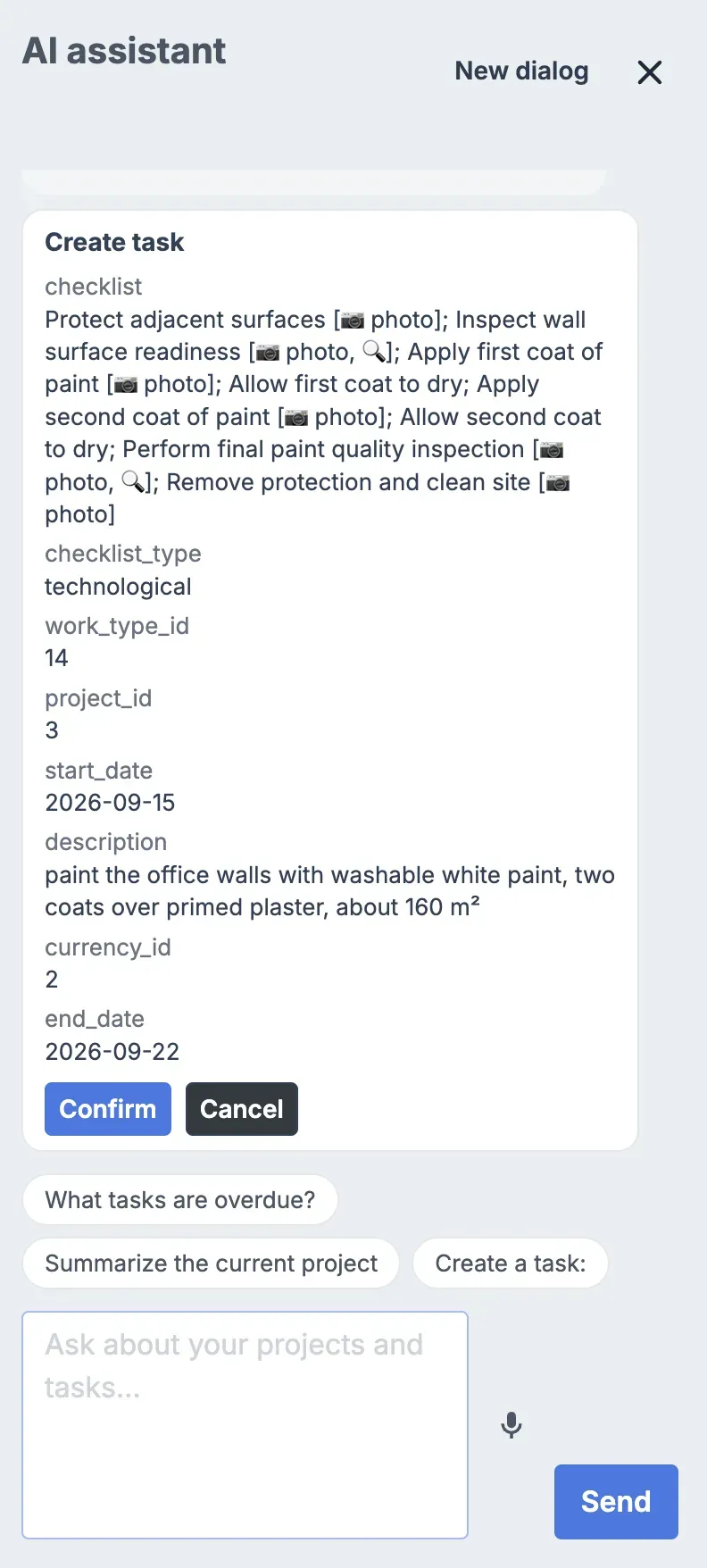
Describe the task in your own words. Buildmetrics AI rewrites it into a clear, professional description and builds structured checklists — for execution and for acceptance.

AI clarifying questions before generating a checklist

Task structuring

Raw text in, professional description out. Consistent style across the whole project.

Execution checklists

Generated from the task description and clarifying questions — steps the crew can actually follow.

Acceptance checklists

What the inspector checks before approving — built from the same task, so nothing is forgotten.

Project and task summaries are in early access and currently available to administrators. Automated customer-facing reports are on the roadmap below.

Participants & roles

Six roles. One workspace.

Everyone sees what they need — and nothing they shouldn’t.

General Contractor

Creates projects, invites customers, assigns administrators. Sees the whole portfolio.

Administrator

Creates and assigns tasks, keeps the project moving, issues the project handover report.

Executor

Gets tasks with checklists in their language, uploads photo and video evidence, submits for review.

Inspector

Reviews submitted work, returns it with comments or approves, issues task handover reports.

Customer

Follows progress, reviews handover documents, approves or requests changes.

Supplier

Buys and delivers materials for a specific request. Sees only that request — and can work from a link, no account needed.

Documentation & handover

Every project ends with documents, not arguments

Photos and videos are attached to tasks, every action is logged, and handover reports are issued per task and per project — ready for the customer to approve.

  • Photo & video evidence attached to each task
  • Full activity history — who did what, and when
  • Handover report per task, issued by the inspector
  • Handover report per project, issued by the administrator
  • Customer approval or change request — recorded in the same system
Handover Report — Concrete foundations
Task
Concrete foundations · Earthworks and Foundations
Approved
Executor
Oleg Ivanov · photo evidence: 12 files
Inspector
Ion Popescu · issued 22 Jun 2026
Customer decision
Approve
Accepted
Responsive web

Works where the work is

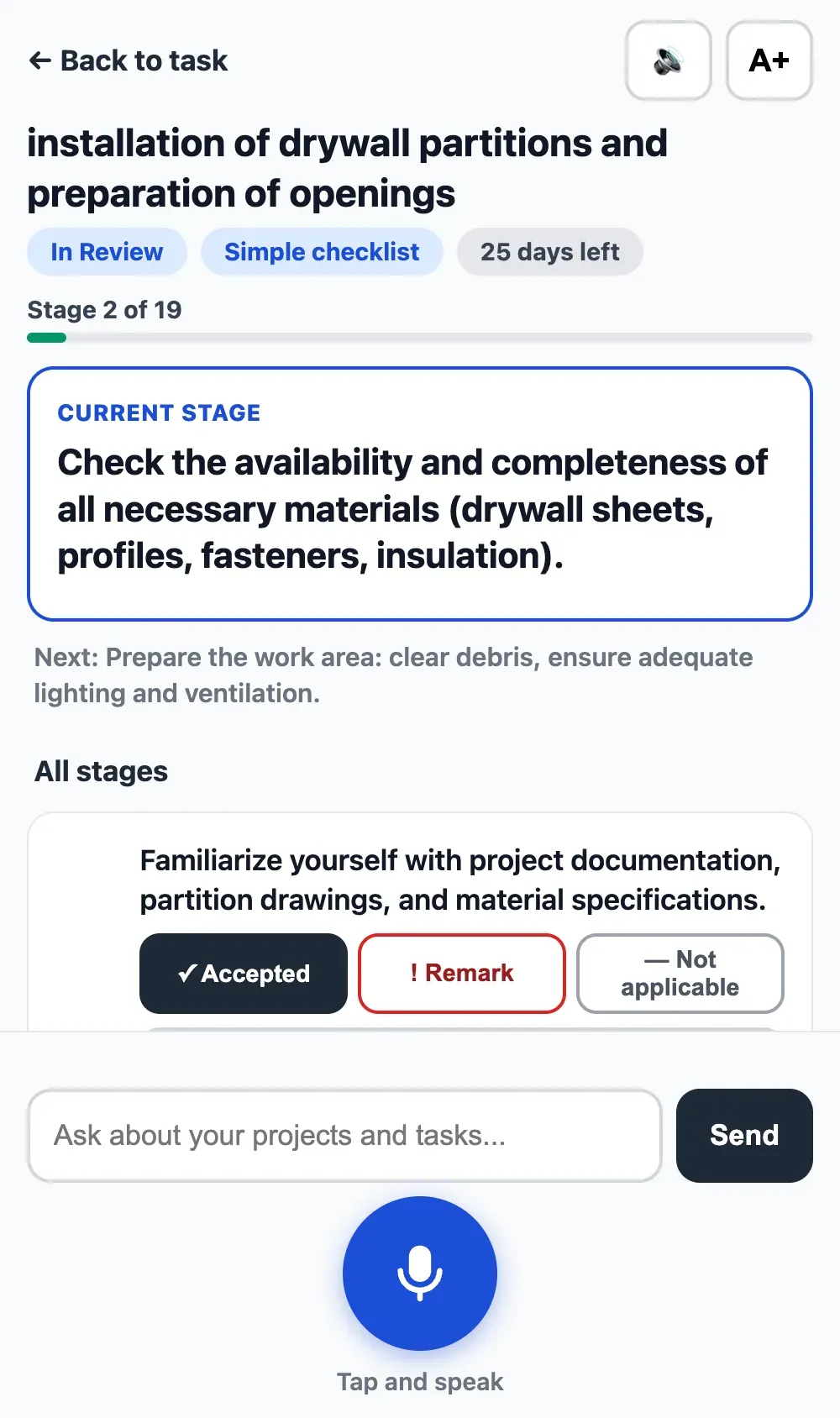
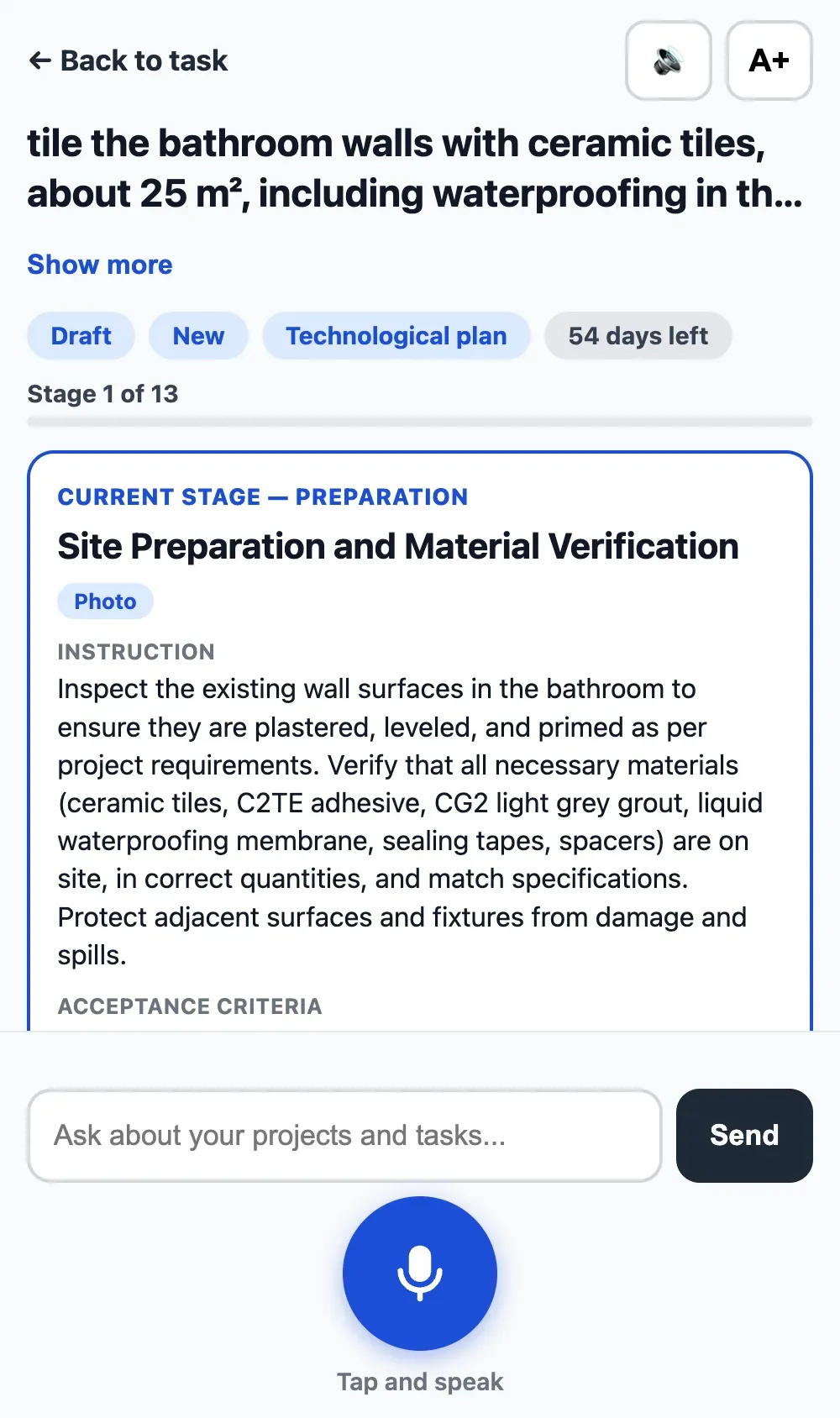
Buildmetrics runs in the browser and adapts to any screen. Executors upload photos from the site, inspectors review on a tablet, managers work at a desk.

  • Upload photos straight from your phone’s camera
  • Review and approve from a tablet on site
  • No installation — send a link, start working
Plastering — kitchenIn Progress
Electrics — bathroomRework
Painting — bedroomApproved
+ photos from site
Trust & security

Your project data, under control

Role-based access

Each role sees only what it should.

Full audit trail

Every change is logged and attributable.

GDPR-aligned

Personal data handled to EU requirements.

Regular backups

Your project history doesn’t disappear.

Roadmap

What we’re building next

PlannedCustomer-facing project reports
PlannedDeeper AI summaries as project data grows
PlannedNative mobile apps (iOS & Android)
PlannedAI photo analysis for inspections
PlannedVoice-created comments and tasks
FAQ

Frequently asked questions

Is the multilingual feature machine translation?

Each participant picks a language in settings; tasks, comments and documents are shown natively to each of them. There is one source of truth — the task — and everyone reads it in their own language.

Which languages are supported?

All European and many Asian languages. The four on this site (EN/RO/TR/RU) are our pilot languages, not a limit.

What exactly does the Customer see?

Project progress, task statuses, photo evidence and handover reports. Customers approve or request changes — they don’t manage tasks.

How are handover reports created?

Inspectors issue them per task after approval; administrators issue the project-level report when all tasks are done. Both are built from the real work history.

How does the AI checklist work? Can I edit it?

AI drafts execution and acceptance checklists from the task description and clarifying questions. Everything is editable before use.

Do executors need training?

No. An executor receives a link, opens tasks in their language, uploads photos and submits for review. Most crews are working within the first day.

Where is our data stored? Is this GDPR-compliant?

Data is handled to EU GDPR requirements, with role-based access, a full audit trail and regular backups.

What does it cost?

Buildmetrics is in a pilot program. Request a demo and we’ll discuss terms that fit your projects.
See Buildmetrics on your project

See Buildmetrics on your project

Leave your contact — we’ll show the platform on a scenario that matches your work.